
Partner Login
Enter your username and password here on order to log in on the partner portal:
No registered partner yet?
Register nowChoosing a clock for someone with dementia is more personal than comparing screen sizes. A helpful Dementia Clock can show the day, date, time, and part of the day in clear language. This may reduce repeated questions when morning and evening begin to feel similar. It cannot prevent memory loss. It cannot replace human reassurance.
This guide examines seven dementia clocks for seniors in 2026. The review considers readability, contrast, display layout, alarm options, power reliability, and ease of setup. A large “Tuesday, 10:30 AM” display may be more useful than a stylish clock with tiny numbers. Some models include medication reminders, automatic brightness, or spoken announcements. These features can help, but they may also create noise or confusion.
Practical experience matters here. A caregiver may need to read the screen from a hallway, reset the clock after a power cut, or clean it beside a bedside lamp. Professional guidance also matters, especially when vision loss, hearing difficulty, or sleep disruption affects daily use. Product claims should be checked against manuals, warranty terms, and independent customer experiences. Not every highly rated model suits every household.
No ranking can predict which clock will feel reassuring. I may value simplicity more than advanced functions, and that preference deserves examination. The best choice depends on the person’s routine, room lighting, eyesight, and comfort with technology. A careful buyer should test the display before relying on it. Small details matter.
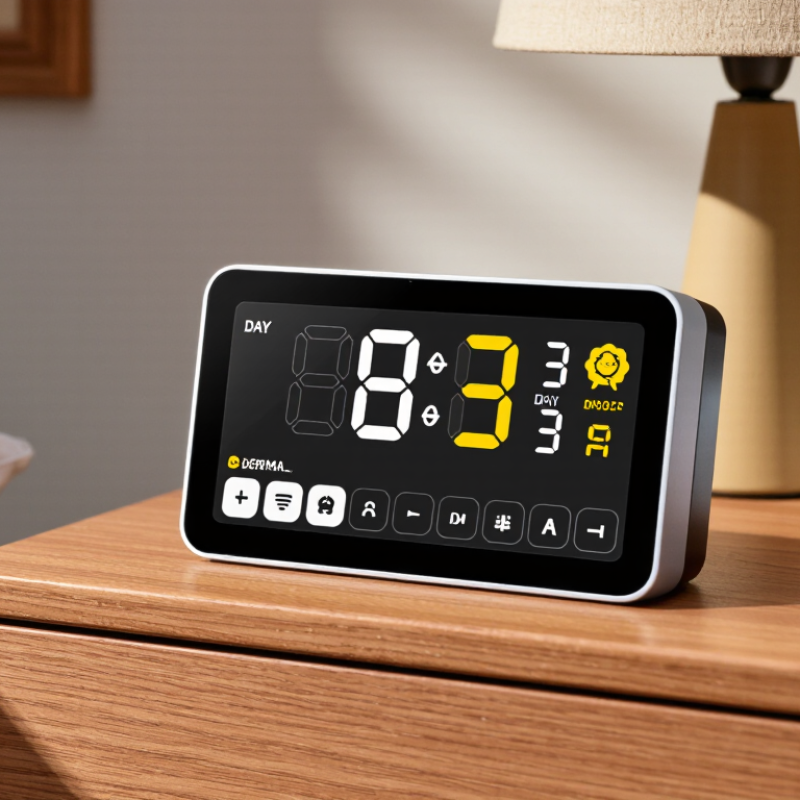
Dementia clocks are large, simplified displays designed to show the day, date, and time clearly. Many use words such as “Monday morning” instead of relying only on numbers. This matters because dementia can affect memory, orientation, and the ability to interpret ordinary clocks. A clear display may reduce repeated questions about appointments, meals, or nighttime routines. It can also help a senior recognize whether it is breakfast time or bedtime.
Practical features deserve close attention. Look for strong contrast, readable lettering, automatic brightness adjustment, and a display that remains visible from a bed or armchair. Some models include gentle reminders for medication, bathing, or family visits. However, reminders should support care, not replace professional guidance.
A caregiver should test the clock in the actual room, especially where sunlight creates glare.
Keep it near the main seating area or beside the bed. Avoid placing it behind photographs or decorative objects.
The best dementia clock is not always the most advanced one. Too many icons, alarms, or settings may create frustration. Even a simple display can become confusing if the date is wrong or the language feels unfamiliar. Review the settings regularly with the senior. No clock works perfectly for every person, and needs may change as dementia progresses.
When comparing dementia clocks, readability should outweigh decoration. Look for large, high-contrast numbers that remain clear from across the room. A simple display can reduce confusion, especially during early morning or evening hours. The clock should show the full day, date, and time without requiring mental calculation. Some older adults prefer a 12-hour format, while others understand 24-hour time better. Ask the user before choosing. Small labels can create uncertainty.
Automatic brightness adjustment can protect sleep while keeping the display visible at night. A gentle night setting is useful. Battery backup also matters during power interruptions. Choose controls that feel obvious, with raised buttons or clear icons when possible. If the clock includes alarms, test the volume and tone in the actual bedroom. Too many reminders may become stressful rather than helpful.
Placement is part of the decision. A clock near the bed may need stronger contrast, while one in a bright kitchen may need glare resistance. Check whether the screen stays readable from the user’s usual chair. Caregivers should practice changing the date, alarm, and daylight-saving settings before regular use. However, convenience can be overstated. A remote setting feature may help, but it should not replace personal support. Before buying, observe the user with a similar display for several minutes. That small trial may reveal more than a specification sheet.
This comparison counts how many of seven representative dementia-clock models commonly include each practical feature. Large day-and-date displays, clear time formats, and reminder alarms are among the most useful functions for supporting orientation and daily routines. Automatic brightness control and battery backup can improve comfort and reliability.
The seven best dementia clocks for seniors in 2026 should support day, date, time, and routine awareness. A clear digital face can reduce confusion during mornings and evenings. Large letters, strong contrast, and automatic brightness adjustments improve viewing from a bedside chair. Some models show “Monday morning” instead of only numbers. That extra wording matters when memory feels unreliable.
Look for clocks with accurate time updates, simple controls, and dependable power backup. A display showing breakfast, medication, or bedtime can provide gentle routine prompts. However, reminders should support care, not replace supervision. Dementia affects people differently, so a clock that works well in one home may feel stressful in another. This is an important limitation, and families should review the device with a healthcare professional or occupational therapist.
Tips: Place the clock where natural light reaches it, but avoid window glare. Use familiar phrases, such as “lunch at 12:30,” rather than crowded schedules. Test the alarm volume during daytime. Keep the display uncluttered. Check the date after power interruptions. A calm trial period can reveal problems that product descriptions miss, including confusing icons, delayed alerts, or settings that are difficult to change.
Choosing among the seven best dementia clocks for seniors in 2026 requires more than reading the display. The World Health Organization reports that over 55 million people live with dementia worldwide. A clear clock can reduce daily uncertainty. Large, high-contrast numbers matter. So does a quiet frame without distracting decorations. Some homes need a wall clock, while others suit a bedside design.
Usability should be tested during ordinary routines. Can a person read “Tuesday morning” from several feet away? Does the clock adjust for daylight-saving changes automatically? Are buttons raised, labeled, and difficult to press accidentally? A 2024 Alzheimer’s Association report estimated that 11 million Americans provide unpaid dementia care. Therefore, useful caregiving features include remote setting, low-battery alerts, adjustable brightness, and visible medication or appointment reminders. Keep setup simple. Complex menus fail quickly.
Design still involves personal judgment. A familiar analog face may feel reassuring, but digital displays usually show more information. Voice announcements can help some users, yet they may disturb sleep or cause confusion. Clinical evidence directly comparing dementia clocks remains limited, so marketing claims deserve caution. I would compare accuracy, readability, power backup, and caregiver access before appearance. The perfect clock does not exist. Test it in the actual bedroom, under morning glare and evening shadows. Sources: World Health Organization, “Dementia,” 2023; Alzheimer’s Association, 2024 Alzheimer’s Disease Facts and Figures.
| Rank | Clock Type | Display & Design | Usability | Caregiving Features | Power & Reliability | Best For | Overall Assessment |
|---|---|---|---|---|---|---|---|
| 1 | Large Day-and-Date Display | High-contrast screen with large weekday, date, time, and period-of-day labels. Matte finish helps reduce glare. | Simple setup with automatic daylight-saving adjustment and selectable 12-hour or 24-hour format. | Multiple alarm reminders, adjustable reminder volume, and recurring prompts for medication or meals. | Mains-powered with battery backup to preserve settings during short power interruptions. | Seniors who need strong visual orientation throughout the day. | Best overall: Clear, practical, and well suited to moderate memory impairment. |
| 2 | Voice-Supported Reminder Clock | Large digital display paired with spoken time and reminder announcements; compact tabletop format. | Large physical controls and guided settings reduce the need to navigate complex menus. | Custom voice reminders, scheduled announcements, and repeat alerts for routines such as hydration or appointments. | Wall power is recommended; backup battery support varies by configuration and should be checked before purchase. | People with limited vision or those who respond better to audio prompts. | Best for audio support: Adds an important spoken cue when visual reminders are insufficient. |
| 3 | Calendar and Weather Orientation Clock | Wide color display showing time, full date, weekday, indoor temperature, and a simple weather indicator. | Automatic time updates and clear on-screen labels; best viewed from a nearby chair or bedside table. | Day and night brightness settings, programmable alarms, and optional temperature information for comfort checks. | Typically designed for continuous mains power; settings may require rechecking after an extended outage. | Seniors who benefit from additional environmental and calendar information. | Best information display: Useful for daily orientation, though the extra information may feel busy to some users. |
| 4 | Analog-Style Dementia Clock | Traditional clock face combined with large digital day and date information; familiar appearance for many older adults. | Straightforward reading for people comfortable with analog clocks; digital date reduces uncertainty about the day. | Basic alarm function and day/night indicators; fewer programmable care prompts than advanced digital models. | Usually mains-powered, with some versions offering a battery compartment for clock operation. | Seniors who prefer a familiar clock face and minimal technology. | Best familiar design: Less intimidating for users who dislike fully digital displays. |
| 5 | Bedside Orientation Clock | Compact, bright display with large time characters and a subdued night mode to limit sleep disruption. | Designed for close-range reading, with straightforward buttons and easy access to alarm controls. | Wake-up alarm, adjustable brightness, and selectable weekday or weekend schedules. | Mains-powered with a battery backup commonly used for time retention and alarm continuity. | Bedridden seniors or people who need orientation immediately after waking. | Best bedside option: Small footprint and gentle night settings make it suitable for bedrooms. |
| 6 | Wall-Mounted Care Routine Clock | Large wall-friendly format with separated sections for time, date, weekday, and scheduled routine messages. | Readable across a room; installation takes more effort than a tabletop clock and requires a suitable wall location. | Multiple recurring alerts, customizable labels, and visible day-part indicators for morning, afternoon, evening, and night. | Continuous wall power is generally required; secure cable placement is important in care environments. | Shared living areas, assisted-care rooms, or homes where the clock must be visible from several positions. | Best for shared spaces: Offers excellent visibility but is less portable. |
| 7 | Portable Simple Display Clock | Lightweight, high-contrast digital display with a plain layout and limited visual distractions. | Easy to move between rooms; fewer settings make daily operation simple but limit customization. | Basic alarm, large snooze control, and clear low-battery indication; limited support for complex care schedules. | Battery-powered design improves portability but requires periodic battery replacement. | Travel, temporary care arrangements, or seniors who need only essential time and date information. | Best budget-style choice: Focuses on essential orientation without complicated features. |
Selection note: Display readability, hearing and vision needs, alarm volume, battery backup, and caregiver programming requirements should be checked against the senior’s individual routine before purchase.
Safety matters more than decoration when choosing a dementia clock. The seven strongest options usually include large digital displays, day-date clocks, high-contrast analog faces, talking clocks, reminder clocks, wall models, and bedside designs. Choose one with automatic brightness control, clear numbers, and simple controls. Avoid flashing alerts or complicated menus.
The World Health Organization reports that over 55 million people live with dementia worldwide, with nearly 10 million new cases annually. A clock cannot prevent confusion, but it can reduce repeated questions and nighttime anxiety.
Placement affects usefulness. Put the clock near the bed, dining table, or favorite chair, where lighting stays consistent. Keep it away from glare, curtains, and noisy appliances.
The Alzheimer’s Association 2025 Facts and Figures report highlights the extensive daily support many caregivers provide. A readable clock may help, but it should not replace human supervision.
Check the time, date, batteries, and power connection weekly. I would not assume “automatic” means maintenance-free. Some screens lose accuracy after outages.
Tips: Select the largest readable display. Test it from six feet away. Ask the user to set the time independently. If that fails, simplify the interface. Look for secure mounting, backup power, adjustable volume, and return policies. Consider washable surfaces for bedside use. Reassess after two weeks; familiar routines matter more than impressive features.